
Products – All Products
Products are the backbone of all online stores, or E-Commerce. If you have recently had us design, build and launch your very own Full Online Shop, then this are will be of utmost importance.
We will break the ‘Products’ area down to individual parts and explain them here.
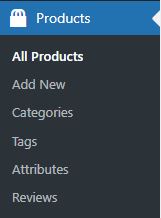
Lets start with the ‘All Products’ page. Navigate to it by choosing Products – All Products.
Once you have navigated to the All Products area, you will see a full list of all products on your online store. The list/table will be laid out in a simple to follow method with strict information types to read.
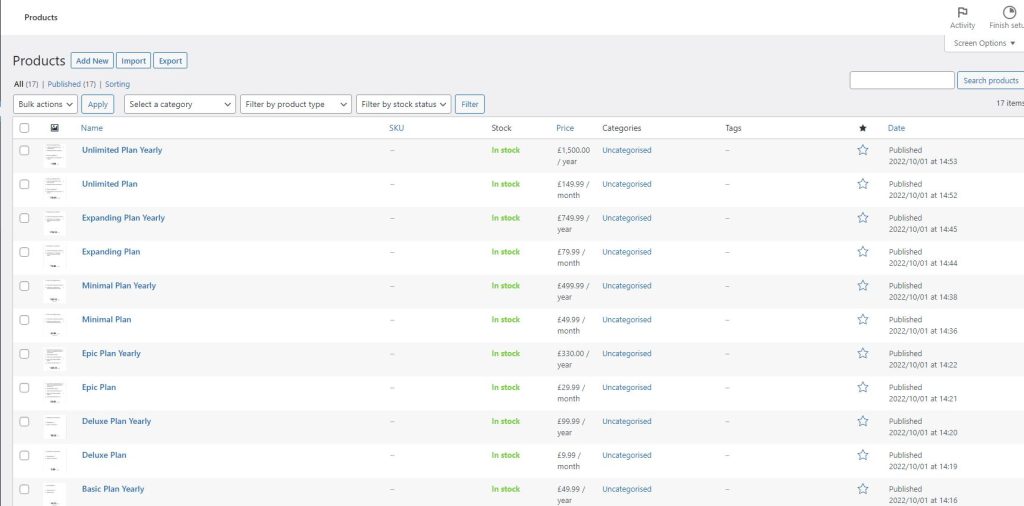
Each product will display the following;
Name – The individual product name/title.
SKU – For use in spreadsheets or other forms of bookkeeping, if you run a business that sells in person and online, some payment gateways will require a good SKU to be implemented.
Stock – In stock, out of stock, on back order.
Price – The regular and sales prices if the product is on sale.
Categories – The product category assigned.
Tags – The tags applied to that product; Think back to the posts topics. Tags aid in the search engine for your customers.
Star (Featured) – If you want to select your featured products for display in a separate ‘Featured Products’ area on the front end of your website, this is where you can easily change your featured products. Simply click the star to set that product as featured.
Date – Published/Created Date.
There are a number of options to choose from if you hover the mouse over any of the products in the list.

Edit – This opens the product edit page which is pretty much the same page as the ‘New Product’
Page discussed in the next topic.
Quick Edit – This opens up minimum options for you to quickly edit for that individual product. Some people really like this option, but here at Wananwebsite.net, we don’t seem to get on with it. (Our hint is to right click the ‘Edit’ link and open in a new tab or simply right click the ‘Edit’ link to carry out any editing tasks required without leaving the all products list.
Bin – This removes the product from the site and ‘Bins’ it, it can be restored later if required.
View – See how your visitors will see the product.
Duplicate – If a lot of your products are the same with minor changes, this options can be a huge timesaver. Duplicate a similar product, then make any changes within the editor page.